Reference
What a correct install looks like
Four screenshots of a working install, taken on a real machine rather than drawn. Every image on this page is shown resized to fit — click any of them to open the original at its full 1920 × 1080, where you can read the file sizes and dates for yourself. Use the arrow keys to move between them and Esc to come back.
#The game folder
Ten items. This is the folder that contains Liquidation.exe, and
it is where BepInEx's four loose files have to live. If winhttp.dll is
anywhere else, nothing loads.

BepInEx folder plus .doorstop_version, changelog.txt, doorstop_config.ini and winhttp.dll sitting alongside the game's own files.
The three items that came with the game are Liquidation_Data,
MonoBleedingEdge and the executables. Everything else in that list arrived
with BepInEx.
#Inside the BepInEx folder
Six items. Only core comes out of the zip; the other five are created
by BepInEx on its first successful run.
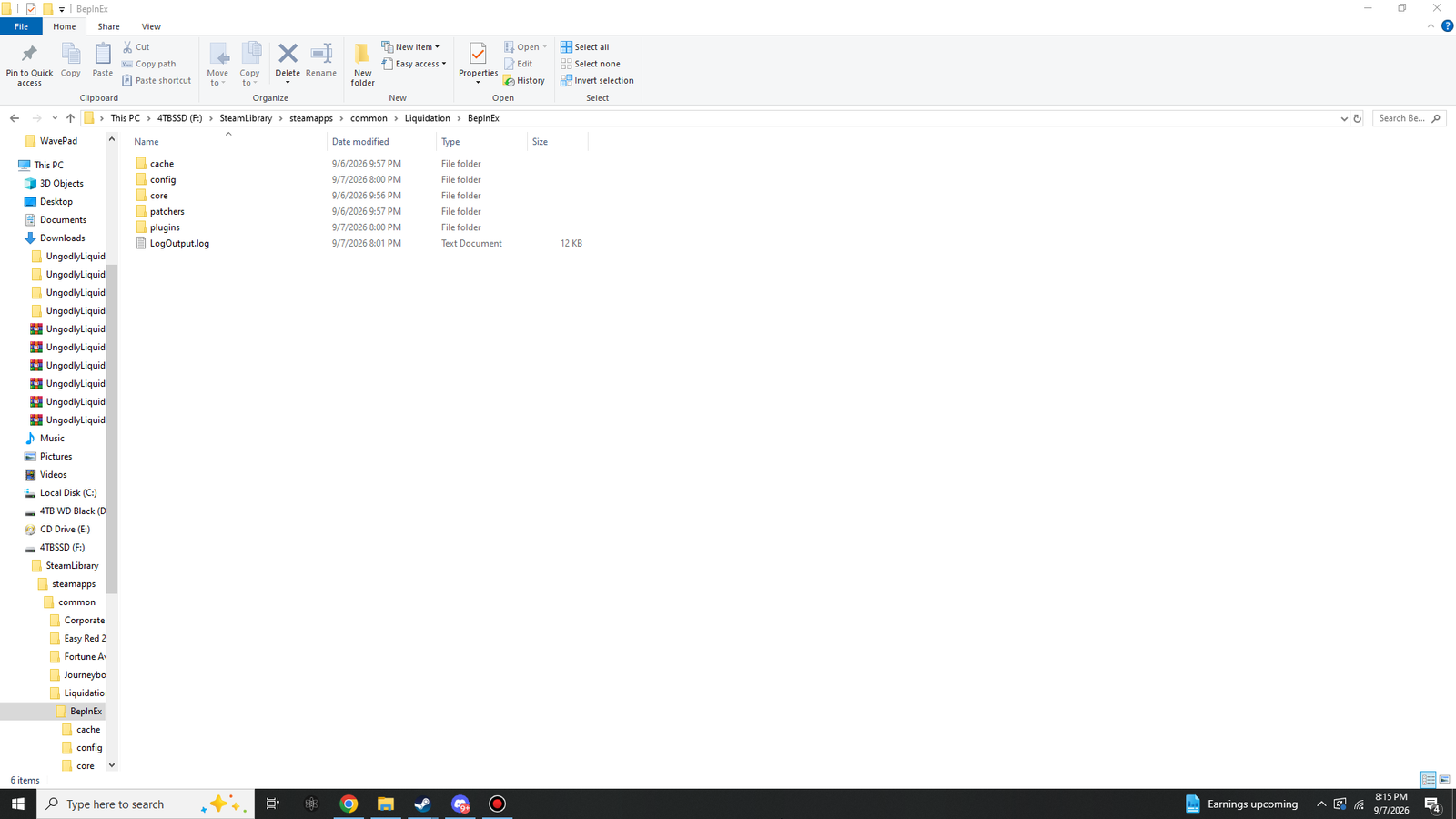
core ships with BepInEx. cache, config, patchers, plugins and LogOutput.log are created on the first run. If you do not see them, BepInEx has not started yet.
| Item | Where it comes from | What it holds |
|---|---|---|
core | The BepInEx zip | The framework's own 18 files. Never edit these. |
cache | First run | Assembly information, so later launches start faster. Safe to delete; it rebuilds. |
config | First run | One .cfg per plugin, plus BepInEx's own. This is the folder you edit. |
patchers | First run | Stays empty. None of these three plugins use preloader patchers. |
plugins | First run | The DLLs. This is where you put things. |
LogOutput.log | Every run | Rewritten each launch. This is the file to attach when reporting a problem. |
#The plugins folder
Three files, nothing else. Explorer rounds the sizes, which makes them a quick sanity check on a download.
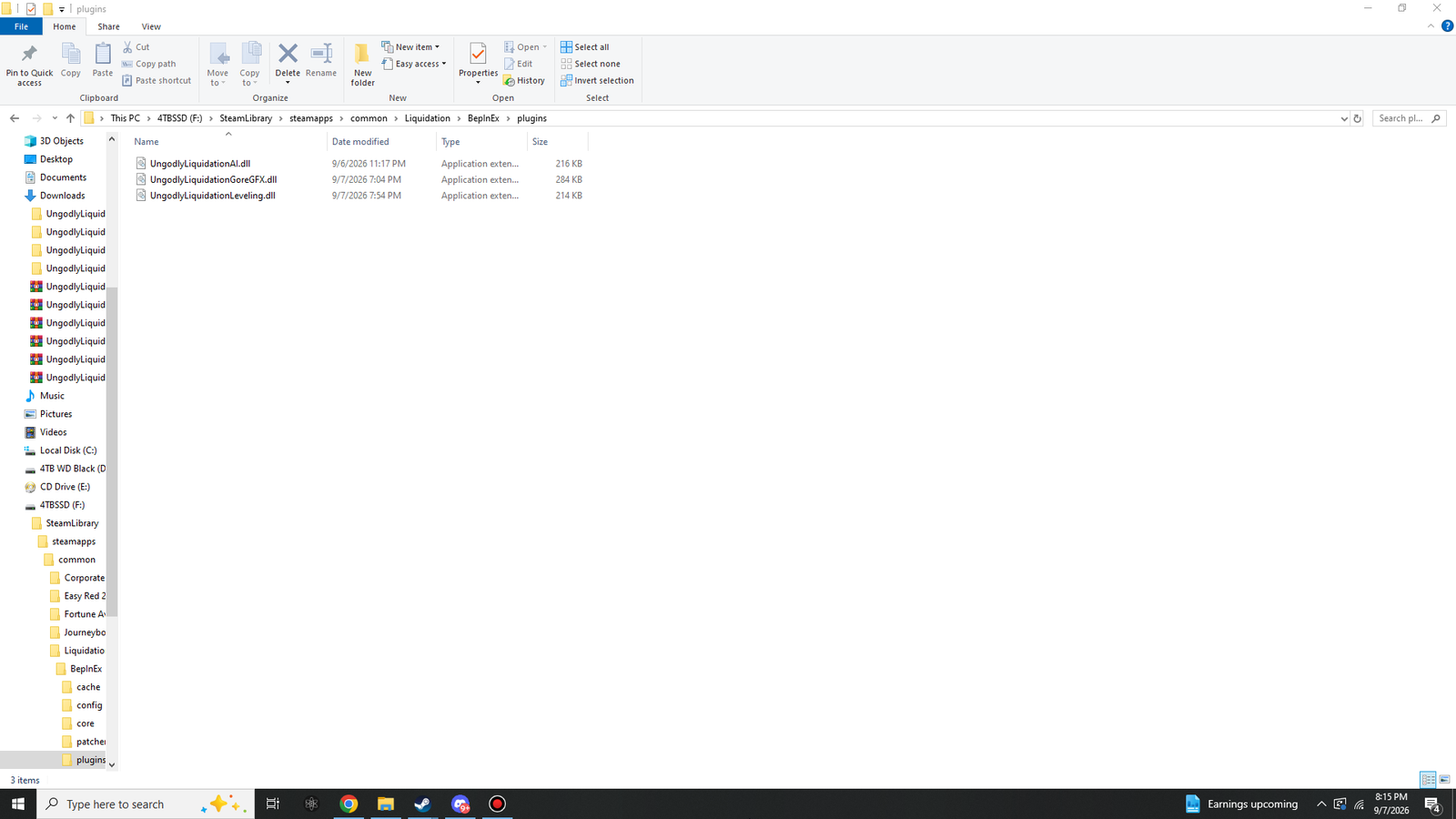
BepInEx\plugins. This shot was taken with AI v1.0.7 installed, so its DLL reads 216 KB here; v1.0.8 is 220 KB. The other two are unchanged at 284 KB and 214 KB.
| File | Shown as | Exact size |
|---|---|---|
UngodlyLiquidationAI.dll |
220 KB | 224,768 bytes |
UngodlyLiquidationGoreGFX.dll |
284 KB | 290,816 bytes |
UngodlyLiquidationLeveling.dll |
214 KB | 219,136 bytes |
If a size is noticeably different from these, the file is not the one this manual describes — either a different version, or an incomplete download. Sizes change between releases, so a mismatch on its own only tells you the version differs; the downloads page has the checksums to confirm it properly.
#The config folder
Four files, all generated. You never create any of them by hand.
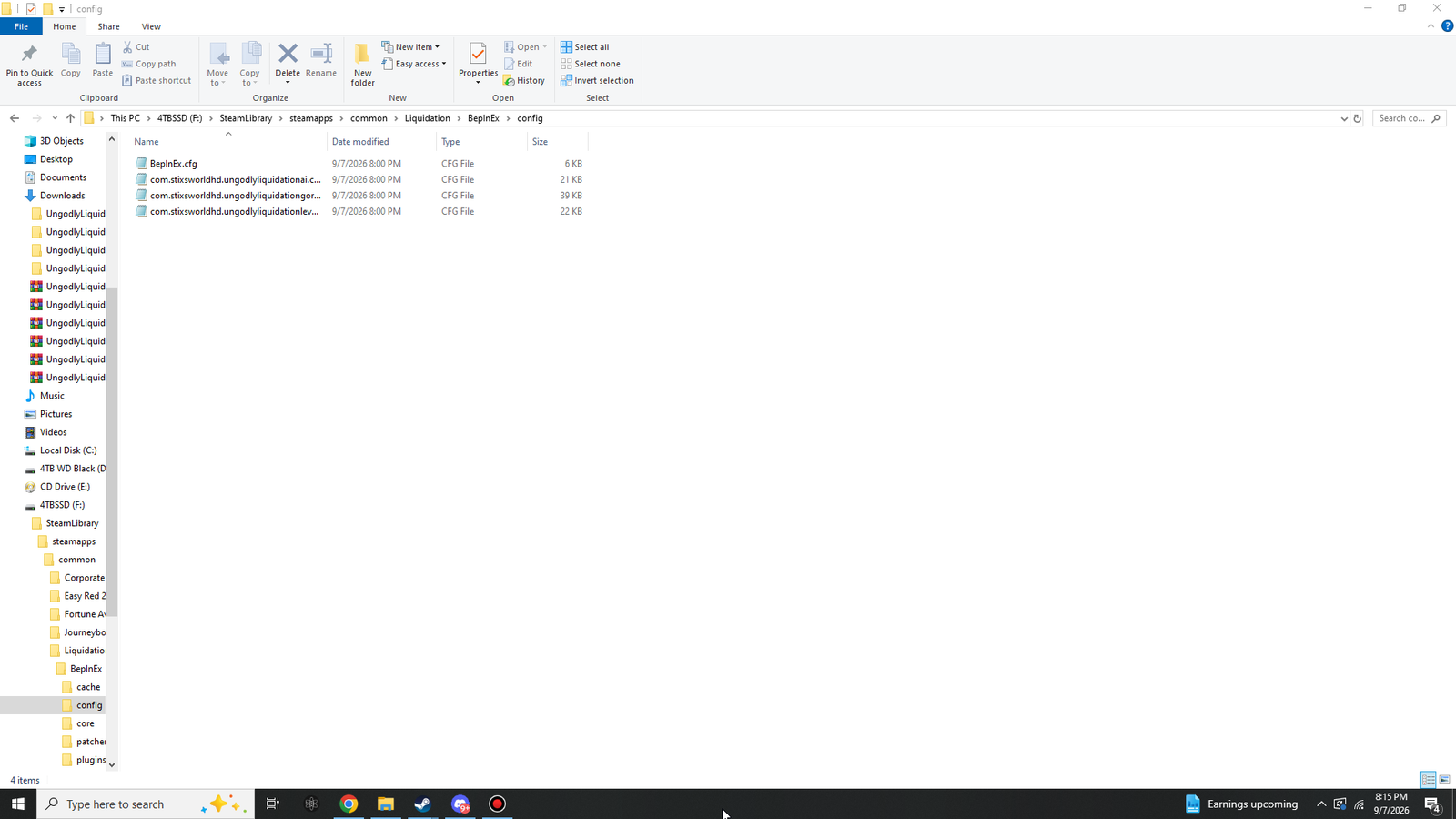
The three plugin config files are named after the plugin ids, which is why this folder is the quickest way to confirm all three loaded. Explorer truncates the names in the screenshot; in full they are:
BepInEx.cfg
com.stixsworldhd.ungodlyliquidationai.cfg
com.stixsworldhd.ungodlyliquidationgoregfx.cfg
com.stixsworldhd.ungodlyliquidationleveling.cfg| If this is missing | It means |
|---|---|
com.stixsworldhd.ungodlyliquidationai.cfg |
Ungodly Liquidation AI did not load. Check the DLL is in plugins and read LogOutput.log. |
com.stixsworldhd.ungodlyliquidationgoregfx.cfg |
Ungodly Liquidation Gore & Graphics did not load. Check the DLL is in plugins and read LogOutput.log. |
com.stixsworldhd.ungodlyliquidationleveling.cfg |
Ungodly Liquidation Leveling did not load. Check the DLL is in plugins and read LogOutput.log. |
BepInEx.cfg |
BepInEx itself has never completed a run. Nothing else will work until that is fixed — see the BepInEx troubleshooting section. |
#The five-second check
If you only verify one thing, verify this list. Anything that fails points straight at the section that fixes it.
| Check | If it fails |
|---|---|
winhttp.dll sits next to Liquidation.exe |
Extraction went one level too deep |
BepInEx\plugins exists |
BepInEx has not completed a run |
The DLLs are in plugins |
Copy them in |
Four files in config |
A plugin is not loading |
| F6, F7 and F8 open windows | Something else has claimed the key |